

Release Date: 9th March 2026
In this release
- New User Profiles
- New Background Map Manager
- Advanced Feature Labelling
- National Highways Grid Projection Support
- Reference Location Support
- New Import Formats
1. New User Profiles
2 new user profiles added
Project Supervisor
User needs to be added to a Project and Location. Can then Upload data into that Project Location as well as manage and delete data.
Mobile Only
User has access to capture data in the mobile app but has no access to data in the Soarvo web portal.
2. New Background Map Manager
Selecting Background Maps from the Layers panel now shows a new selection of background map options.
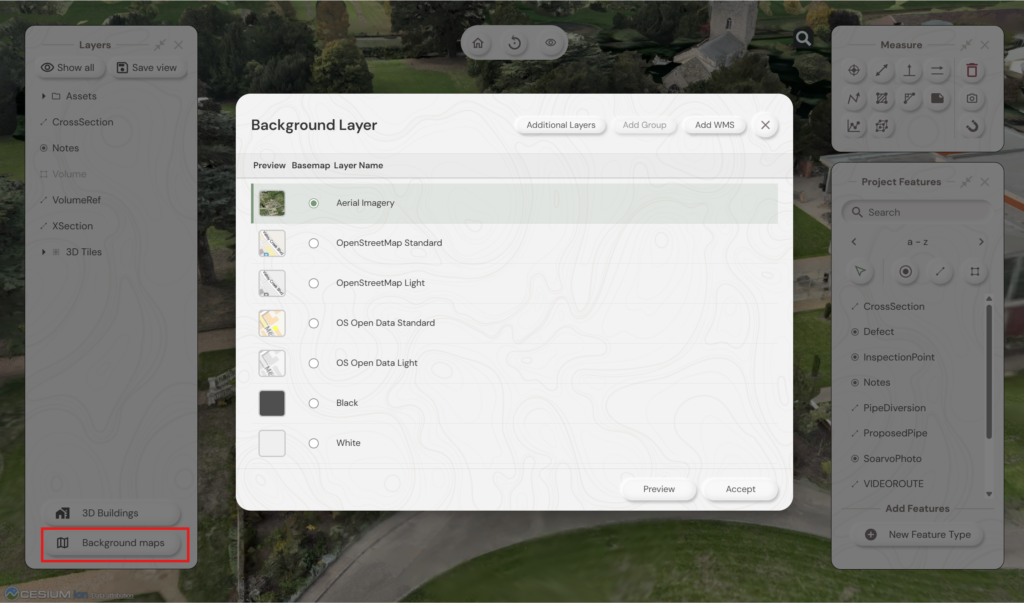
You can also have the option of multiple map layers displayed at the same time by selecting “Additional Layers”
Tick the boxes you wish to have as “Additional Layers” over the Basemap and their transparency
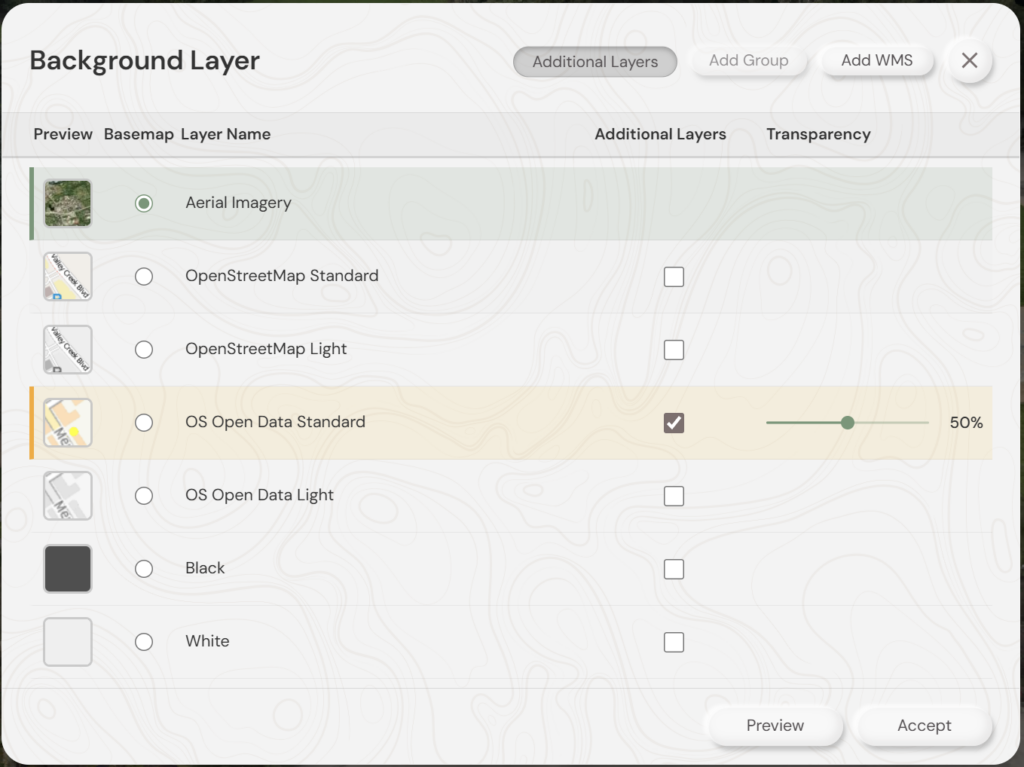
You can also Add WMS layers by uploading a config file including the details for that map service. Please speak to Soarvo support or see here https://soarvo.com/knowledge-base/library/ on details for adding WMS layers
3. Advanced Feature Labelling
Adds functionality for Labels from multiple fields on a single Point, Line, Area.
Choose to edit the feature from the Feature Panel
Click edit the Geometry type and Styling
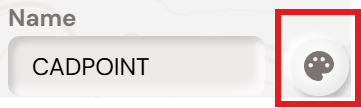
Choose the annotation button to access the settings

This will bring up the Annotation Definition Panel
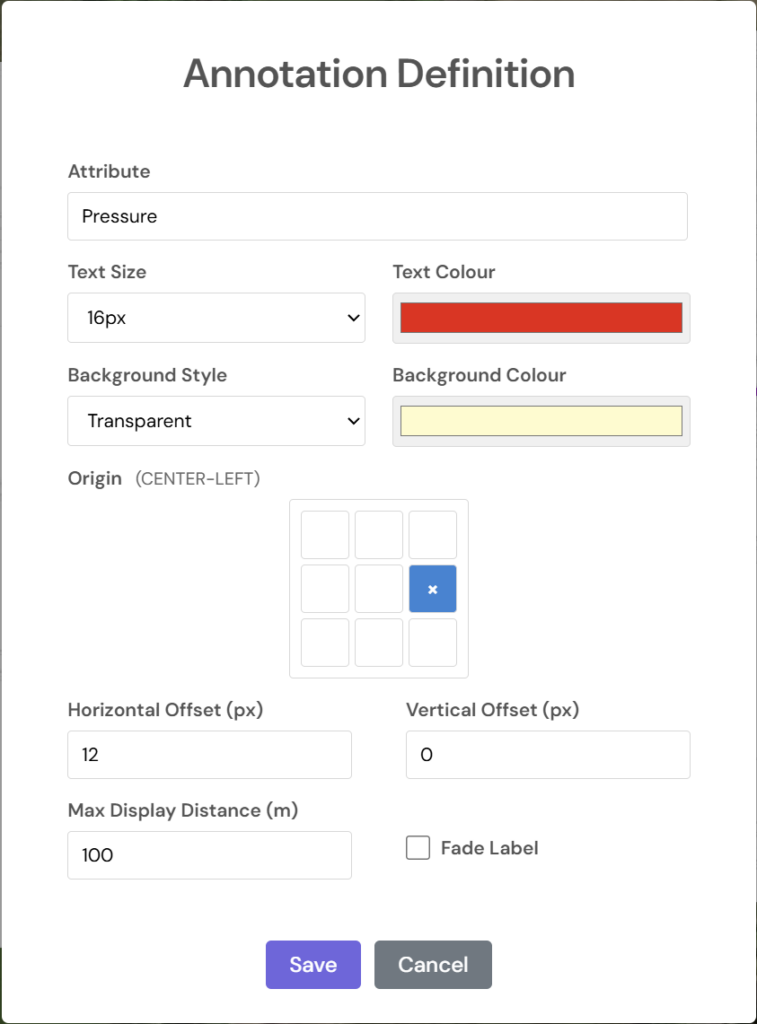
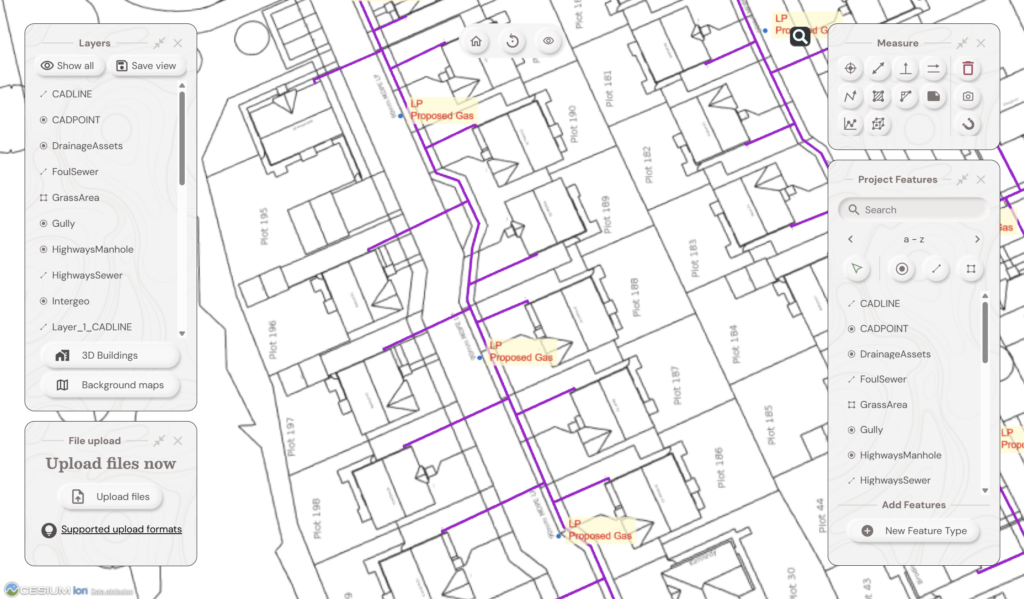
You can now use multiple fields to label your data.
If you want all of the information on a single line put each field in {Brackets} eg. {Material} {Diameter}
For information on individual lines you need to include “\n” between the brackets eg {Material}\n{Diameter}
Labels will then look like this
4. National Highways Grid Projection Support
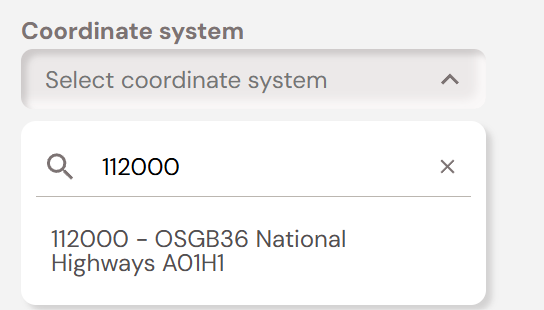
Support is now included for the custom National Highways co-ordinate projections.
Search for the required projection from 112000 – 112101 when you setup your Project.
5. Reference Location Support
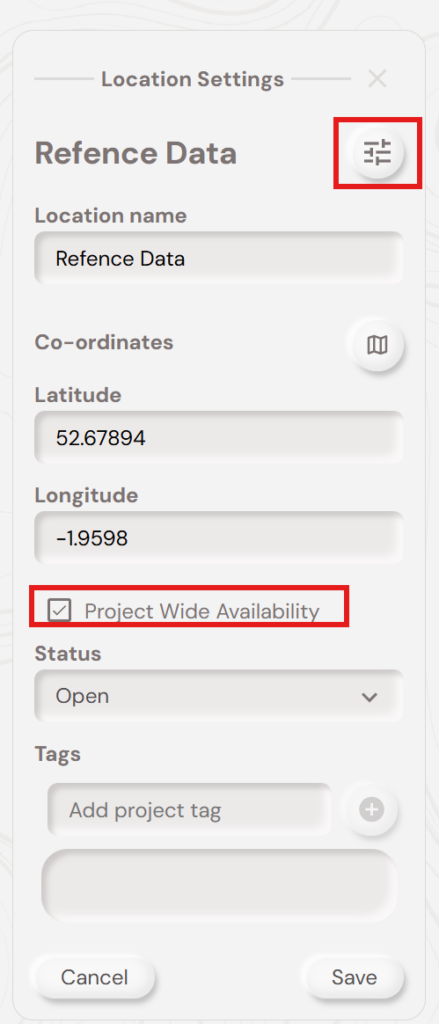
If you have a data sets you wish to make available to multiple Locations you can now setup a Location as a Reference Location and just upload that data once.
Once you have created the Location settings and tick the box for Project Wide Availability.
This means you only have to load data once, but can make it available to different groups of people in separate Locations,
6. New Import Formats
Soarvo now supports .DXF and .KML files for import.